
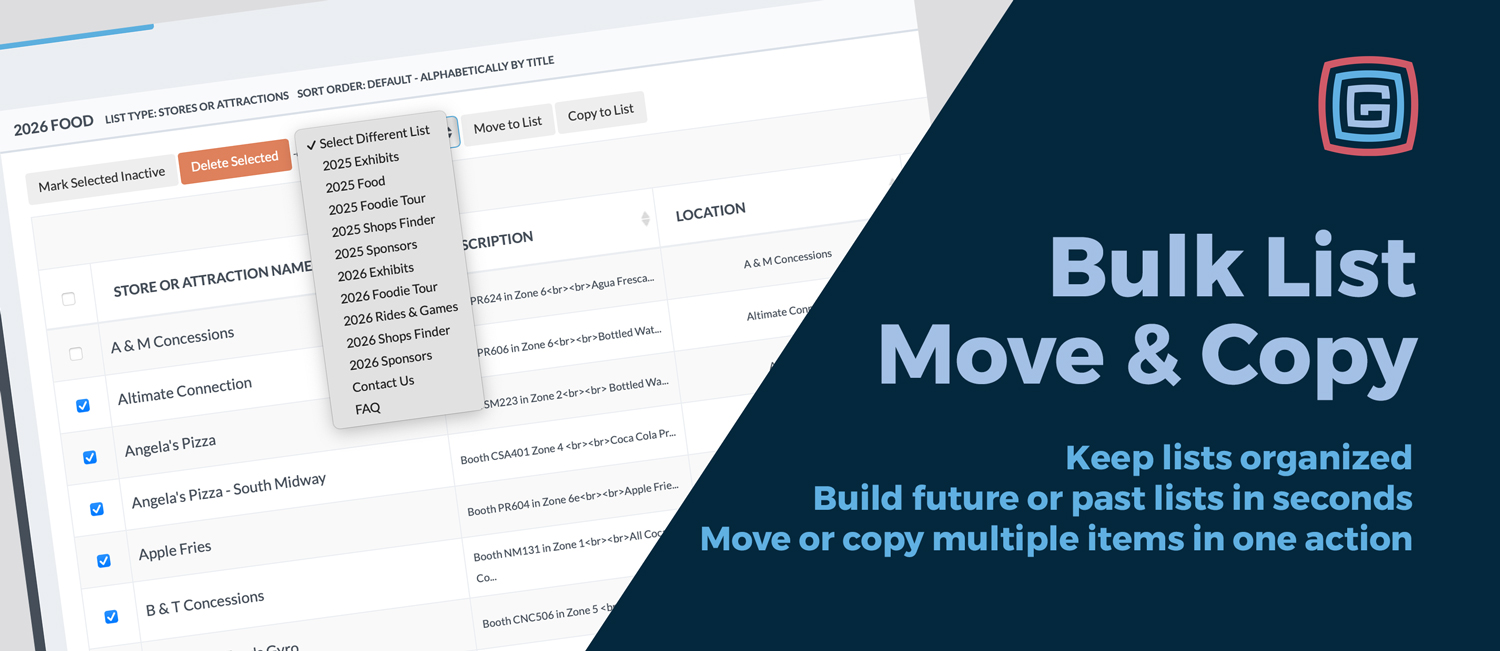
Managing content inside an event app is never one and done. Vendors rotate, artists change year to year, and lineups evolve as planning moves forward. To make this easier, we have added two new bulk tools inside the List managers: Bulk Move to Different List and Bulk Copy to Different List.
These updates let you reorganize multiple entries at once, without opening or editing each item individually.
Inside any List manager, you can now select multiple items and choose one of two actions:
This gives you flexibility depending on whether content should live in one place or appear in multiple collections.
After an event wraps, a team may already have a 2025 Artists list with dozens of performers. As planning begins for the following year, staff can select the handful of artists they want to bring back and copy them into a 2026 Artists list in one step. The original 2025 list stays intact for historical reference, while the new list starts with a curated set of returning favorites.
Both bulk actions are useful, but they solve different problems.
Use Bulk Copy when the same items should appear in more than one list. This is ideal for planning ahead or highlighting returning favorites. For example, copying select artists from a 2025 Artists list into a 2026 Artists list lets you start next year’s lineup without losing your historical record.
Use Bulk Move when items should no longer live in the original list. This works best for cleanup and transitions. For example, once an event is over, you might move all artists from a current year list into a Past Artists list to keep active lists focused and uncluttered.
Whether you are managing artists, vendors, or any other list based content, these bulk tools make it faster to keep everything organized.
Both Bulk Move to Different List and Bulk Copy to Different List are available directly inside the List managers. Select multiple items, choose the action you need, and apply it to any other list in your app.
It is a simple addition that delivers real time savings and more flexibility across your entire app.
NEW