Member resources
Organize documents, industry information, FAQs, and helpful links in one accessible place.
Trade association & membership apps
Give members one place to find resources, explore directories, follow events, and receive important updates. Add optional login, restricted content, and private pages for individual members to create an experience that fits your association.


Trusted by trade groups around the world


Core capabilities
Organize documents, industry information, FAQs, and helpful links in one accessible place.
Help members find participating businesses, association contacts, chapters, and relevant services.
Require login for the app or limit access to selected information.
Provide one-to-one pages available only to the user they are assigned to.
Bring meetings, training, conferences, and chapter activities into one calendar with saved favorites.
Share association news, deadlines, event reminders, and important updates.
Access that fits your membership
Your association may need public information, a login-required experience, or a combination of shared and restricted content. Grandstand supports these options, including private pages available only to an individual user.
Require members to sign in before accessing the app when your association calls for a private experience.
Limit selected resources or pages to their intended audience while keeping other association information broadly available.
Assign a page to one individual user so only that person can access its instructions, assigned details, or private resources. This is separate from a saved list or personalized greeting.
Member resources
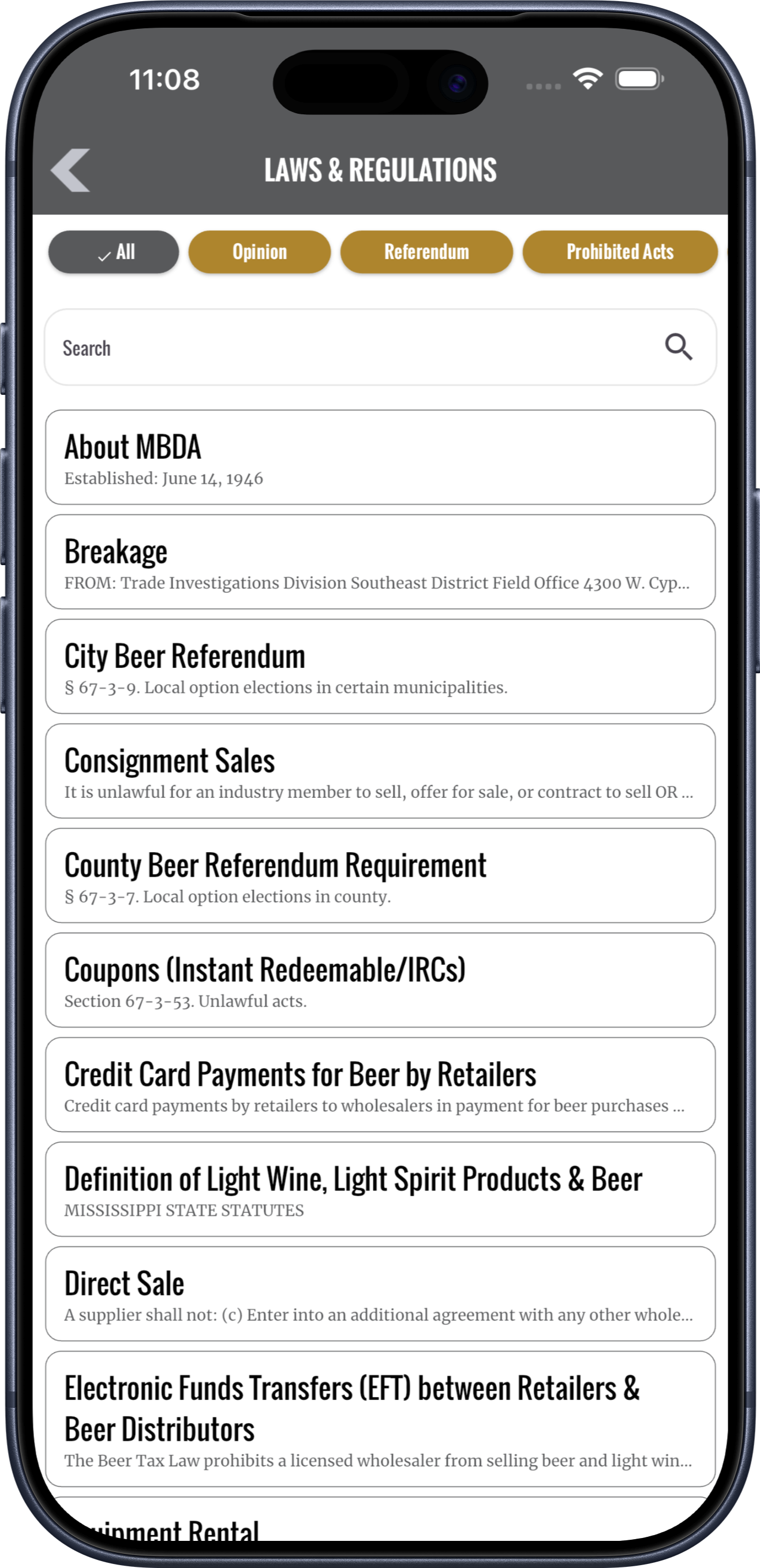
Bring documents, regulations, industry updates, FAQs, forms, and useful links together in a searchable resource library. Members can reach the information they need without sorting through old emails.
Directories and maps
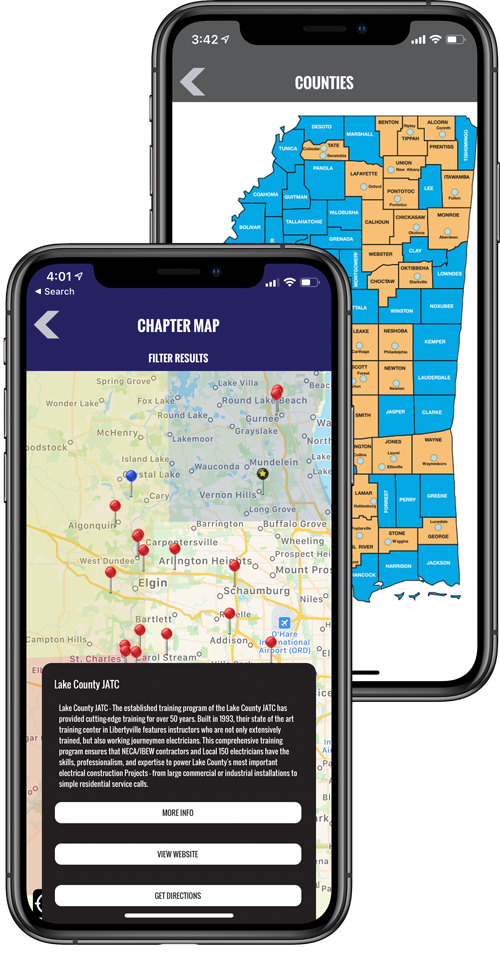
Create searchable directories for members, participating businesses, association contacts, chapters, and services. Add supported map views to help users understand territories and find relevant locations.
Events and schedules
Organize board meetings, training, conferences, webinars, and chapter activities by day or category. Members can favorite relevant events to build a personal schedule.
Explore Event Schedules & Favorites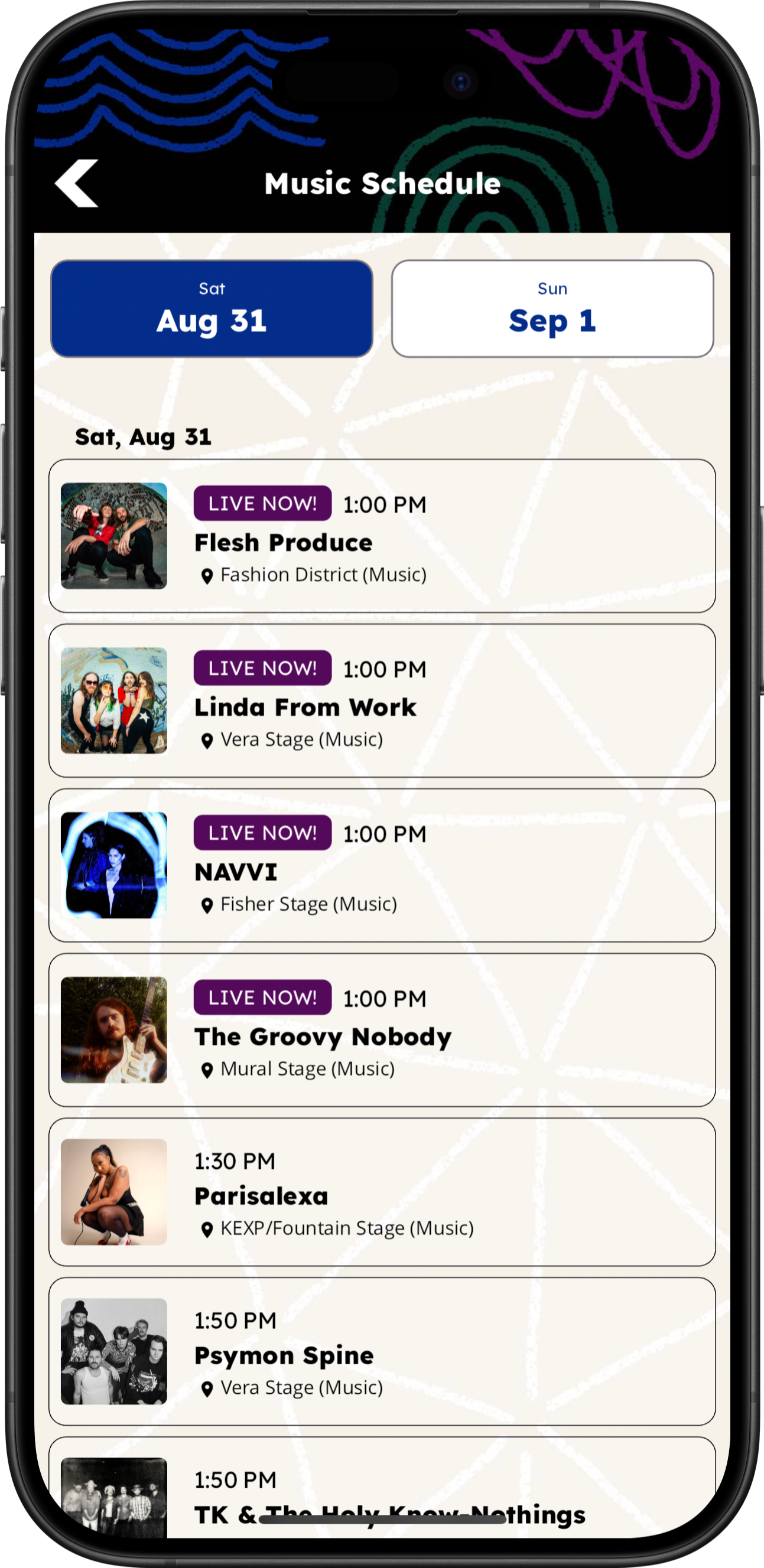
Notifications and announcements
Share news, deadlines, meeting reminders, advocacy updates, and important announcements. Link members to the related app content so the next step is clear.
Management tools
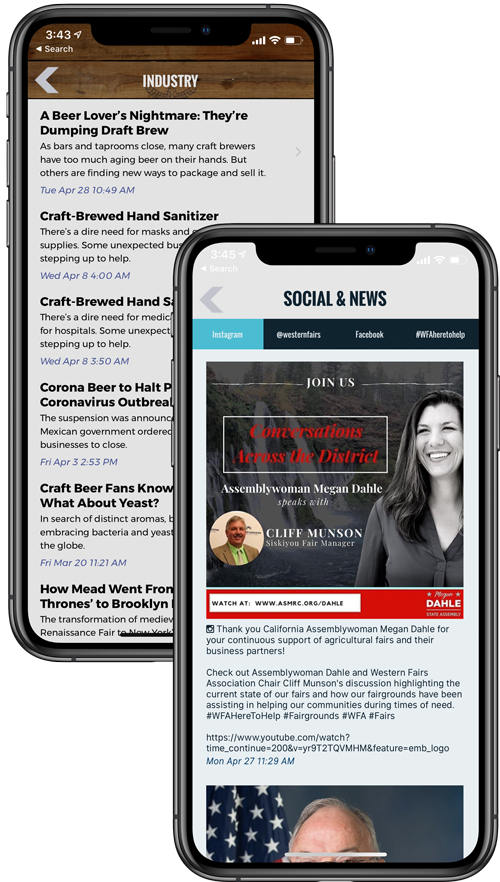
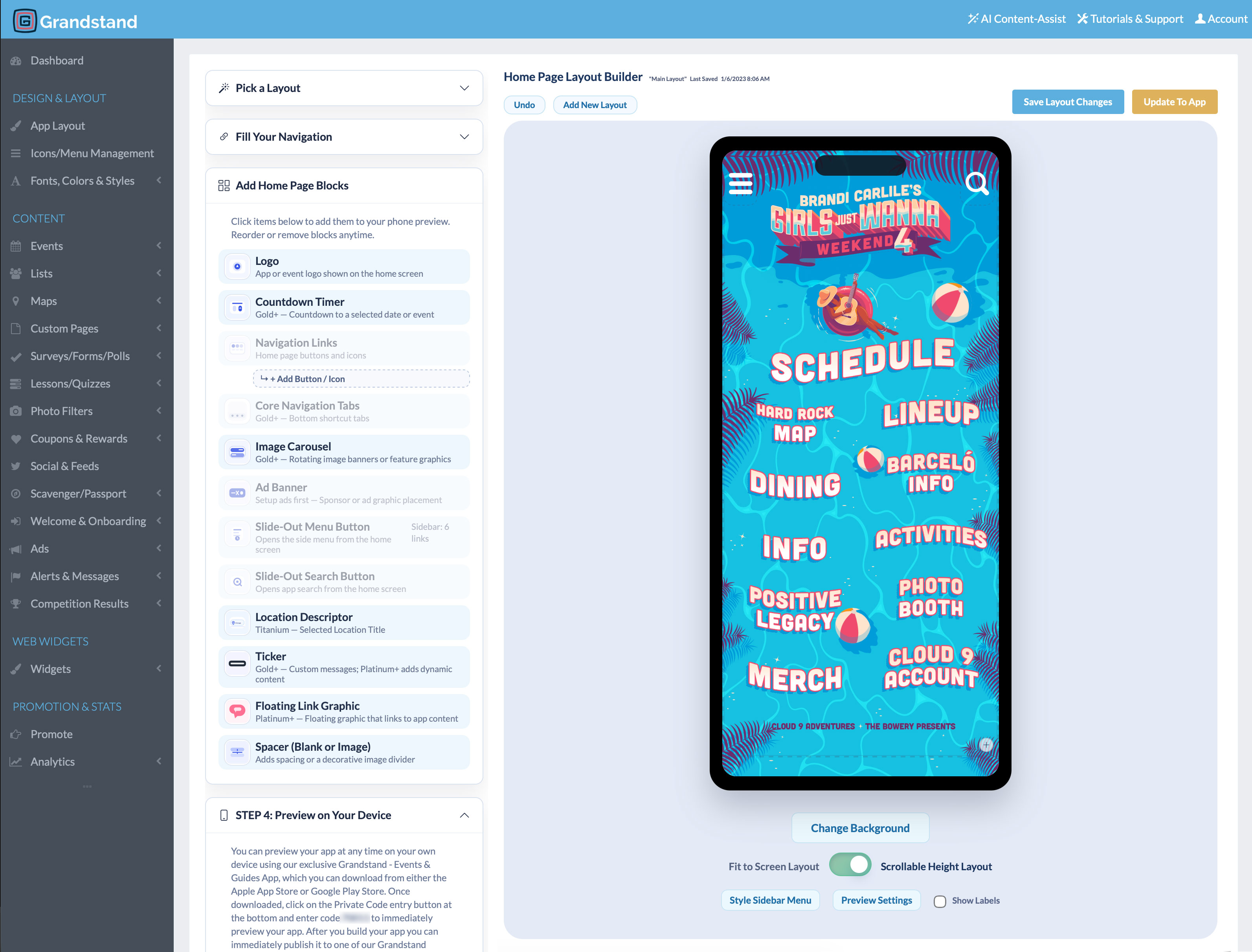
Manage it yourself: Update resources, directories, events, maps, pages, and announcements through Grandstand’s browser-based tools.
Give staff the right access: Authorized team members can help maintain the content relevant to their role.
Get setup assistance: Design and content help are available, with scope and fees depending on the selected package and services.
App Analytics & Audience Insights
Review engagement with association resources, directories, and events. Use searches and content activity to make useful information easier to find throughout the year.
Available reports vary by package. Platinum and Titanium include realtime activity from the last 30 minutes and geographic heatmaps of recorded app usage.
Web Widgets
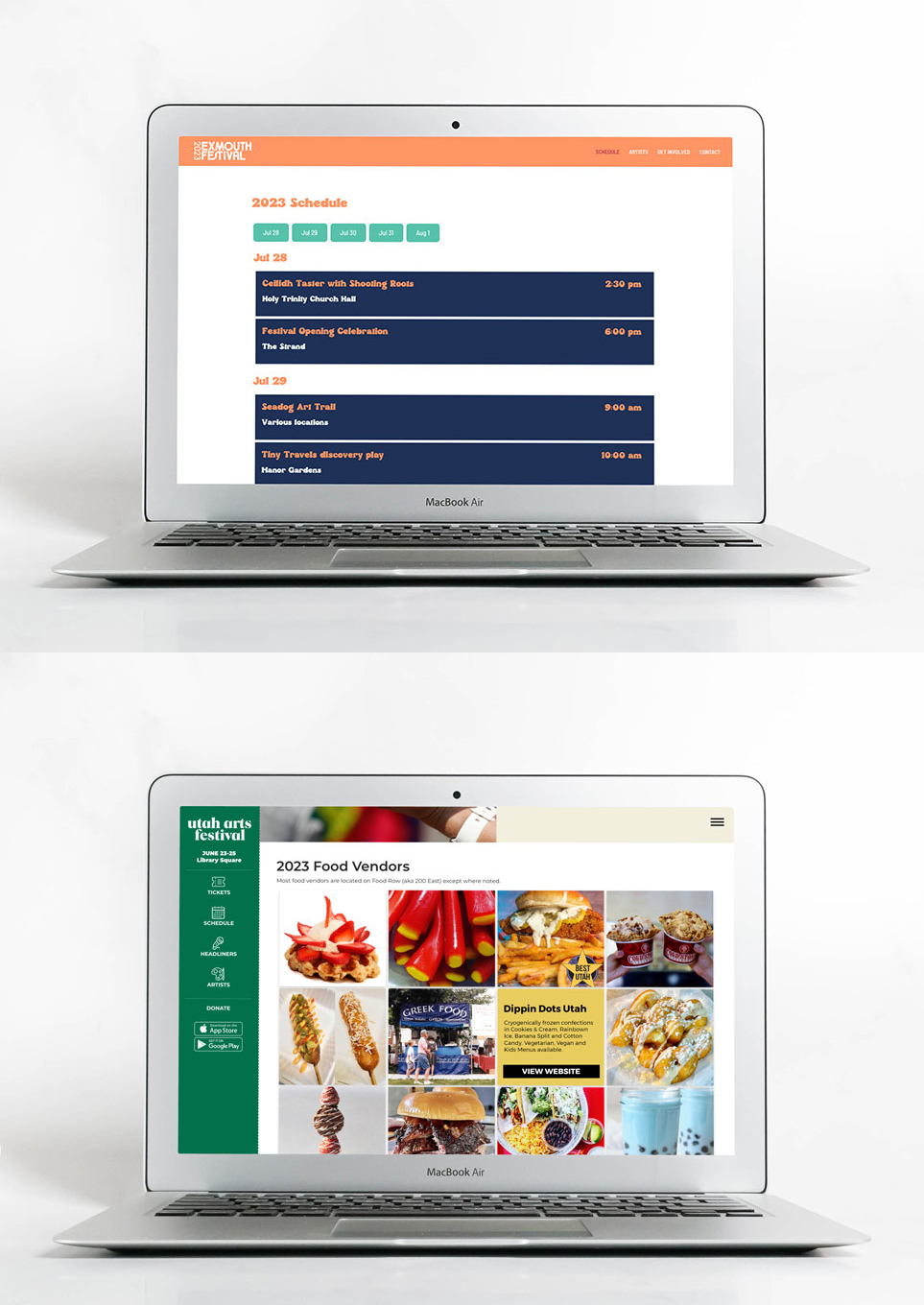
Manage supported schedules and lists in Grandstand, then display shared association information in both your app and your existing website.
Additional fee: Web Widgets are a separate paid product. Publish only content intended for your website; app restrictions and private-page permissions do not automatically carry over to public web content.
Learn about Web WidgetsAdditional capabilities
Choose the tools that fit your association’s communication and engagement plans.
Bring association updates and supported social content into the member experience.
Gather feedback and invite members to respond to timely association questions.
Recognize partners through featured listings, banners, linked content, and supported placements.
Share relevant promotions or benefits from participating businesses and partners.
Organize policies, contacts, programs, and other information so members can find it quickly.
Talk with Grandstand about supported content sources and the systems your association uses.
Planning and purchasing
Yes. Login is optional. Your app can remain open to everyone, or you can require users to sign in before they access the app.
Yes. Selected content can be restricted to its intended audience while other information remains broadly available. Restricting selected content is separate from requiring login for the entire app.
Yes. A one-to-one page can be assigned to an individual user and is available only to that person. It can provide individual instructions, assigned information, or private resources.
Yes. Associations can organize searchable member, business, chapter, service, or contact listings and connect relevant entries to supported map locations.
Yes. Meetings, training, conferences, and chapter activities can be organized in schedules, and members can favorite the items most relevant to them.
Yes. Authorized staff can use Grandstand’s browser-based management tools to update resources, directories, schedules, maps, pages, and announcements without writing code.
Supported schedules and lists can be displayed on an existing website with Grandstand Web Widgets, which are a separate paid product. Publish only information intended for the website.
Pricing depends on the publishing option and services selected. Review the Association Pricing page or contact Grandstand for help choosing an option.
Grandstand offers publishing within a supported container app as well as stand-alone branded app-store options. Availability, timing, and pricing vary by package.
Yes. Grandstand provides reporting on app usage and supported content activity, including views, favorites, shares, and searches. Available reports vary by package. Platinum and Titanium also include realtime analytics and geographic app-usage heatmaps. Explore App Analytics.
Start a free trial to explore the builder, or talk with Grandstand about the access, content, and publishing options that fit your association.
View Trade Association App Pricing