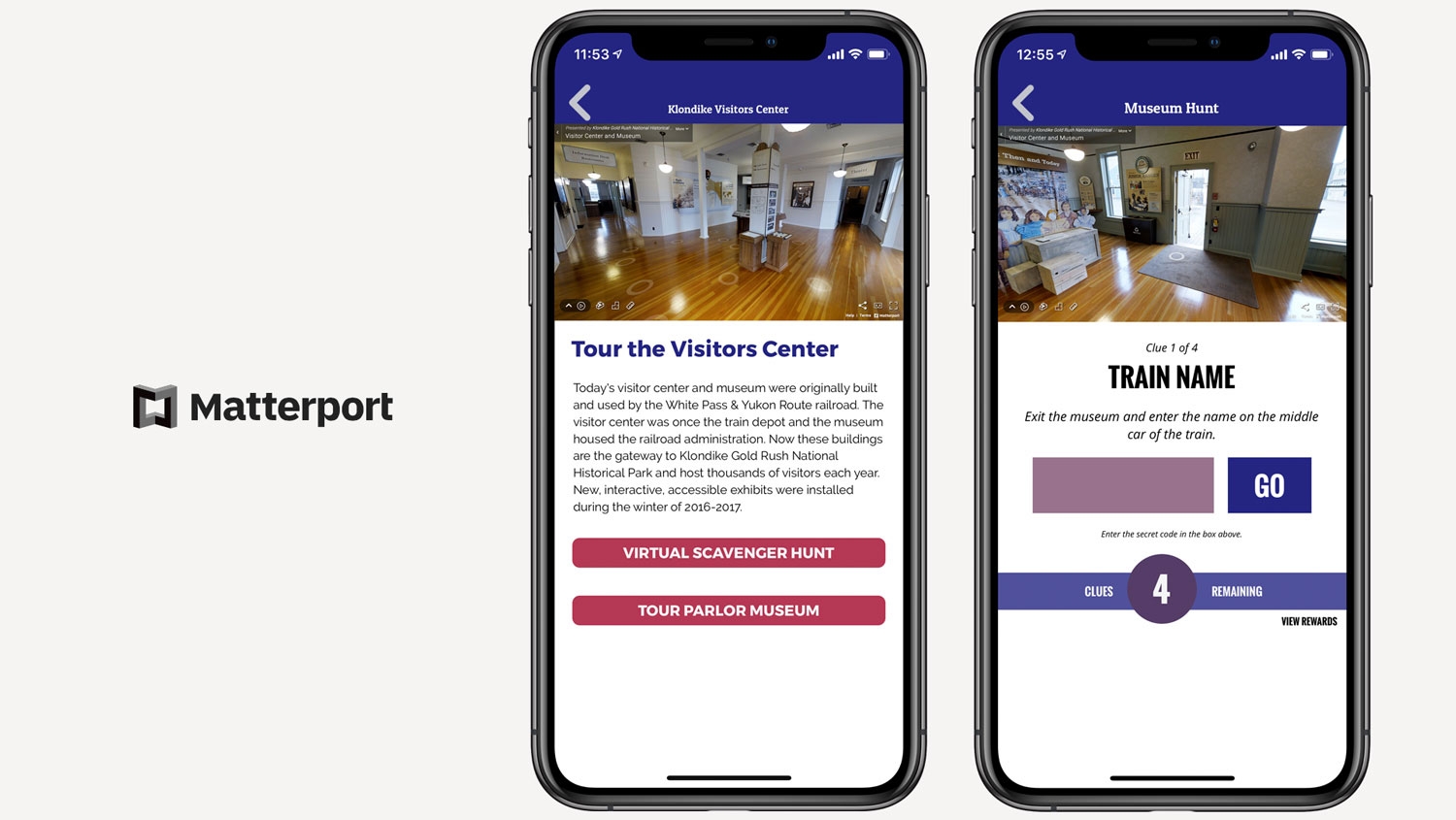
As more locations move into virtual spaces it is vital that our users have the tools to bring those locations to audiences around the world. Grandstand is now integrated with Matterport to give our users the power to easily add virtual tours to their app. Matterport is the leading tool for creating virtual tours that allow the user to navigate and move through the space as if they are there. Matterport has been heavily used in the real estate industry for years but it is now finding a practical purpose for venues and events. Attendees are looking for ways to stay involved with you and your brand and adding virtual tours is one of the best ways to allow them to feel as if they are really there.
Here is an example of what functionality Matterport can give you:
There are multiple ways to add Matterport into your app, including:
- Custom Pages - Now available as a Content Block, add a Matterport tour to any custom page. Add extra links, text, or even photos to the page to create a robust tour of any facility or event.
- List Pages - Add Matterport to the top of any List Detail Page. This is made even more powerful by deep linking into specific spots inside of your Matterport video. For example, if you have one Matterport tour for an entire building, you can send the user right into a specific room, facing a specific location to know they get started in the right place.
- Scavenger Hunt Pages - Deep link to an area in your Matterport tour and then ask a pointed question about something in the room as part of a larger scavenger hunt. The perfect way to get your users exploring and using your Matterport content.
- Lesson Pages - Similar to Scavenger Hunt pages you can add an inline Matterport tour on a lesson page to add depth and clarity to the lesson you are teaching.
- Event Pages - Allow users to explore a specific area of your venue on event detail pages.
As easy as it is to add Matterport content to your Grandstand app, it is also easy to record your Matterport walk-through. Here is how you currently capture your Matterport video:
- Users create a free account on Matterport (www.matterport.com) to get 1 Active Space. Optionally, a user could pay $9.99/month to get up to 5 active spaces. An active space is defined as a building, an outdoor venue, a home, or however you would want to constrain the video.
- Using an iPhone or supported 360 camera, a user would then record video in their venue using the Matterport app and upload it to Matterport.
- Once uploaded, Matterport will give you an id link to enter into Grandstand (id after m= in the shareable url)
Matterport is included in any package of $899/year or higher and is available in both Grandstand - Events & Guides and 4-H Now container apps as well as any standalone apps updated or submitted new to the App Store after June 2020.