
Creating a strong app home page just got easier—and more enjoyable.
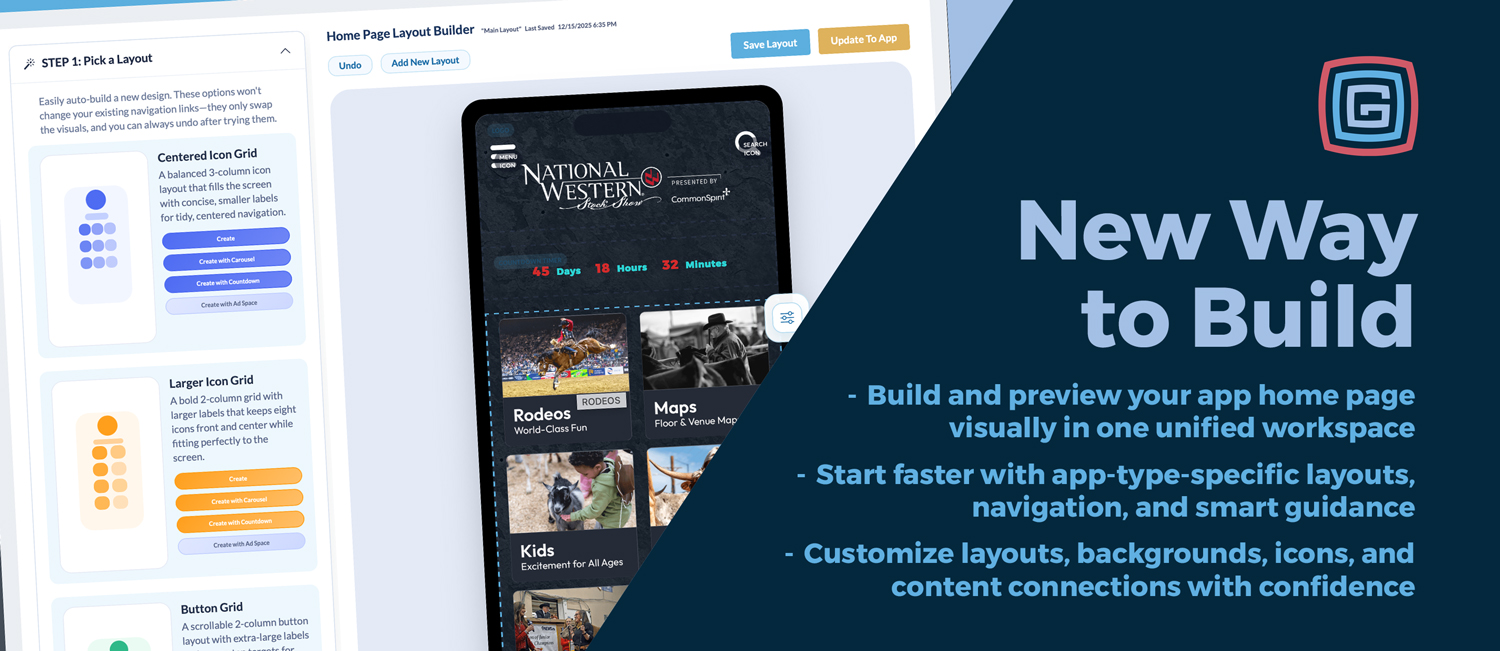
We’re introducing a new Home Page Builder that brings layout, navigation, and design into one visual workspace inside the Grandstand Admin.
Previously, building a home page meant moving between several admin pages and previewing changes in pieces. The new builder brings everything together—layout, icons, backgrounds, and content connections—so you can see your app take shape as you work and publish updates with confidence.
For new users, the builder offers optional guided steps:
Experienced users can skip these steps and build freely, while first-time users benefit from a clear starting point.
Design directly on a live phone preview using drag-and-drop blocks and real-time updates. Layout changes, spacing, and structure are all handled visually, with instant feedback.
Add logos, hero sections, navigation grids, countdowns, spacers, banners, and other content blocks from a single catalog. Each block includes previews and clear availability indicators.
Your toolbox now comes preloaded with curated icon types and suggested navigation options tailored to your app category. With Fill Your Navigation, Fairs automatically see options like Schedules, Maps, Vendors, and Food & Drink, while Shopping Centers see Stores, Dining, Deals, and Events. Each app type starts with navigation that makes sense for its audience.
When creating a new icon or menu item, you can now auto-start and link new lists or custom pages immediately. This removes an extra step from the setup process and makes it clear right away what content still needs to be updated.
Every icon also clearly shows where its content is managed in the Admin, creating a direct connection between design and content. Together, these improvements make navigation setup faster, more intuitive, and easier to understand, especially for first-time users.
Start with a layout designed specifically for your app category. These layouts combine logos, hero placements, and navigation patterns that align with common goals for each type of experience.
It’s a practical way to begin with a clean, well-structured foundation.
Preview your design in realistic device frames, including Dynamic Island and Android pinhole styles. Adjust ratios, frame colors, and layout versions without leaving the builder.
Gold+ users can create and manage multiple home-page layouts at the same time—such as year-round, event-weekend, seasonal, or sponsor-focused versions.
Layouts can be cloned to quickly create variations, and each layout maintains its own styles, icons, links, and blocks—similar to the previous Snapshot feature, but now fully visual and easier to manage.
All visual assets are accessible from within the builder:
Assets are licensed, searchable, and ready to use without leaving the page.
Background design is now a flexible, built-in workflow. You can:
This gives you full control over how backgrounds behave across devices.
Make visual adjustments directly in the builder:
These tools reduce the need for external design software.
Build and preview your slide-out menu visually so secondary pages—like Sponsors, FAQs, or Maps—stay consistent with your main home layout.
Previously, home-page setup was spread across multiple admin pages—layout, icons, styles, and snapshots—each handling a different piece of the experience.
The new Home Page Builder brings those pieces together:
The result is a more intuitive and efficient way to build and maintain your app.
The new Home Page Builder is designed to make app creation clearer, faster, and more flexible—especially for teams managing changing content, events, or seasons.
With visual editing, integrated assets, improved navigation setup, and multi-layout support, it gives you the tools to build a home page that’s easy to manage and easy for users to understand.
Log in to your Grandstand Admin to explore the new builder and see how it fits into your workflow.
In short: One workspace, clearer connections, and a more practical way to build.
NEW