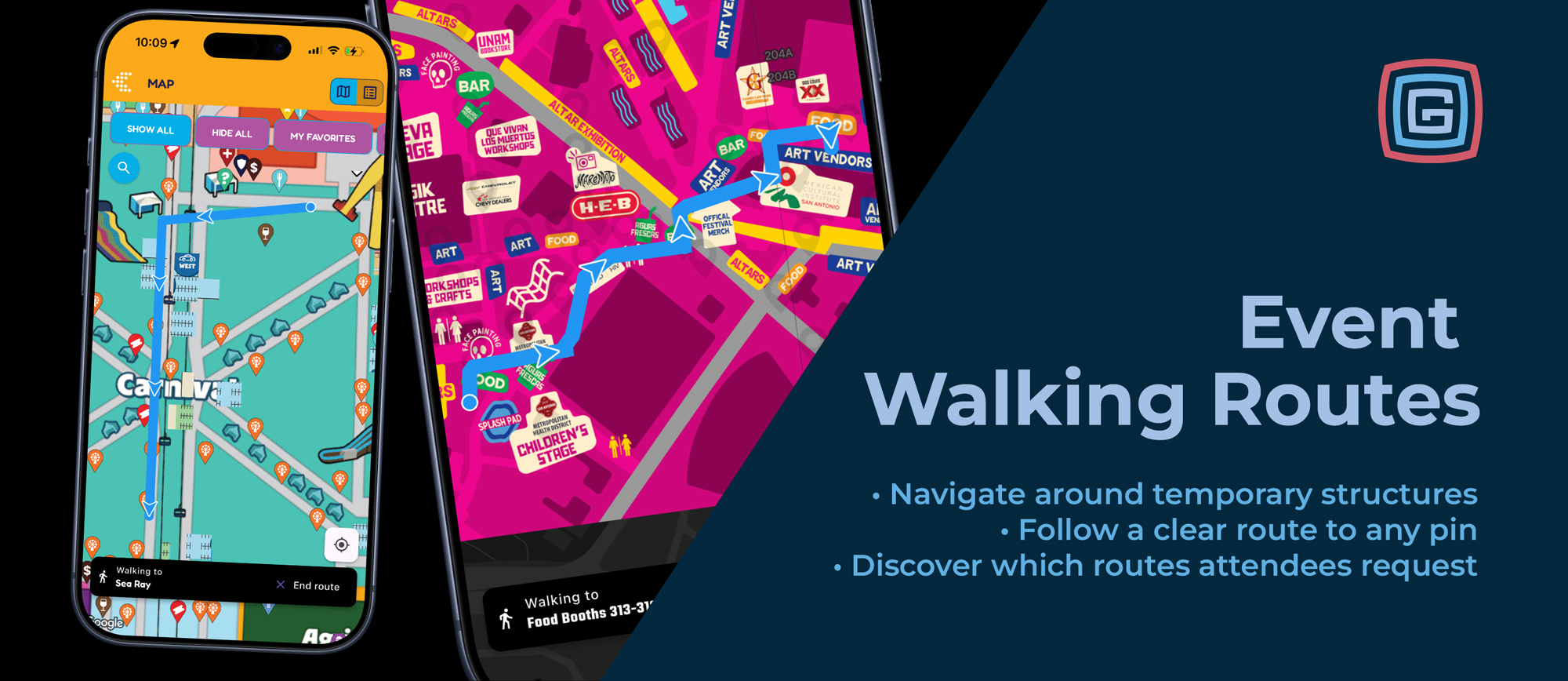
Most navigation tools know where the streets are. They do not know where your event put the food booths, carnival rides, temporary stages, or vendor tents.
That is what makes walking directions notoriously difficult at fairs and festivals. An open space becomes a midway. A parking lot becomes a vendor marketplace. The paths attendees can actually walk depend on your event’s layout, and that layout can change every year.
Grandstand’s new walking routes solve this by using your event’s own map and defined walkable areas to guide attendees to their destination. The feature is already live in the Muertos Fest and Arizona State Fair apps.
Routes That Understand Your Event Layout
A useful walking route needs to account for what is on the grounds during your event, including structures that are only there for a few days.
Grandstand calculates routes through your defined walkable areas, guiding attendees between booths, around temporary structures, and through the grounds based on how your event is actually arranged.
Routes appear directly on your branded event map, helping attendees connect the directions with the attractions and landmarks around them.
Pick a Pin and Get Walking
When attendees are at your event, their current location becomes their starting point. They simply tap their destination’s map pin and select Walking Directions.
A blue route appears with arrows showing the way. The route color is customizable, so it can complement your branding and stand out against your map.
Whether attendees are finding a favorite food vendor or heading to a stage across the grounds, they can see how to get there without leaving your app.
Simple Setup Behind the Scenes
Setup starts with a simplified version of your event map that shows walkable areas in white and non-walkable areas in black. This tells the system where attendees can walk and where structures or other obstacles block the way.
Once we upload that map, Grandstand handles the route calculations. There is no need to manually draw every possible route between destinations.
Attendees continue to see your full-color event map. The simplified version works behind the scenes to make walking directions possible.
See Where Attendees Want to Go
Grandstand’s analytics capture which routes attendees request most, giving organizers insight into the destinations people are actively seeking out.
Those requests can help inform decisions about signage, map placement, and future event layouts, while providing another way to understand attendee interest in your vendors, attractions, and amenities.
Try It From Anywhere
You do not have to be at the event to test walking directions. Open the map in the Muertos Fest or Arizona State Fair app and follow these steps:
- Press and hold a spot on the map that does not contain a pin to set your starting point.
- Select a destination pin.
- Tap Walking Directions to see the route.
Bring Walking Routes to Your Event
Walking directions are available with Grandstand’s Platinum and Titanium packages, with an additional $350 setup fee. Events on other packages must upgrade to Platinum or Titanium before adding the feature.
Your event creates a temporary world for attendees to explore. Now your app can help them find their way through it.
Contact us to add walking directions to your event app.